


【HTML】解决痛点的那些CSS
在写一些页面时,有些东西老是感觉能解决但就是想不起来具体怎么写,本文记录一些容易忘但很实用的css属性。
有时候页面上的video视频可能需要显示默认的进度条音量等控件
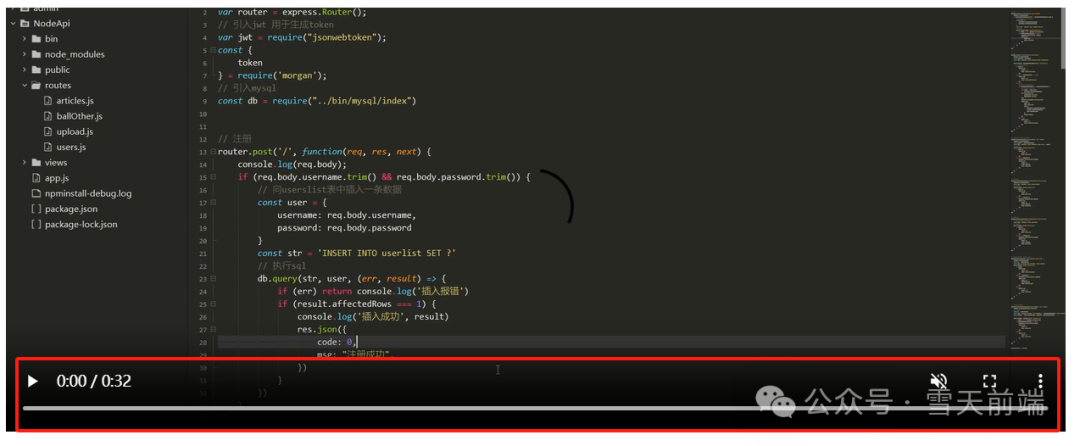
/* 隐藏video 进度条 */
  video::-webkit-media-controls-timeline {
    display: none;
  }

  /* 隐藏video 观看的当前时间 */
  video::-webkit-media-controls-current-time-display {
    display: none;
  }

  /* 隐藏video 剩余时间 */
  video::-webkit-media-controls-time-remaining-display {
    display: none;
  }

  /* 隐藏video 音量按钮 */
  video::-webkit-media-controls-mute-button {
    display: none;
  }

  video::-webkit-media-controls-toggle-closed-captions-button {
    display: none;
  }

  /* 隐藏video 音量的控制条 */
  video::-webkit-media-controls-volume-slider {
    display: none;
  }

  /* 隐藏video 所有控件 */
  video::-webkit-media-controls-enclosure {
    display: none;
  }
把默认的箭头改成自己喜欢的图片
首先需要把图片转换为.ico格式,这里有一个在线转换的网址
https://convertio.co/zh/png-ico/
<!DOCTYPE html>
<html>
  <head>
    <meta charset="utf-8">
    <title></title>
    <style>
      body {
        min-height: 100vh;
        cursor: url("./img/happy.ico") 34 34, pointer;
      }
    </style>
  </head>
  <body>

  </body>
</html>

页面中横向滑动实用的场景也不少
<!DOCTYPE html>
<html>
  <head>
    <meta charset="utf-8">
    <title></title>
    <style>
      .Box {
        background: rgb(220, 220, 220);
        width: 100%;
        overflow: hidden;
        overflow-x: auto;
        white-space: nowrap;
      }

      .item {
        display: inline-block;
        background: #aaffff;
        margin: 10px;
        width: 120px;
        height: 100px;
      }
    </style>
  </head>
  <body>
    <div class="Box">
      <div class="item"></div>
      <div class="item"></div>
      <div class="item"></div>
      <div class="item"></div>
      <div class="item"></div>
      <div class="item"></div>
      <div class="item"></div>
      <div class="item"></div>
      <div class="item"></div>
      <div class="item"></div>
    </div>

  </body>
</html>
有时候使用border会出现挤压或挤出的情况,是因为border是占位置的,把它改成outline就行了。
outline: 1px solid #ccc;
css默认的虚线边框太密集,可以使用以下方法解决
<!DOCTYPE html>
<html>
  <head>
    <meta charset="utf-8">
    <title></title>
    <style>
      .box {
        width: 500px;
        margin: 20% auto;
        padding: 5px;
        box-sizing: border-box;
        border: 1px dashed transparent;
        background: linear-gradient(white, white) padding-box, repeating-linear-gradient(-45deg, #ccc 0, #ccc 5px, white 0, white 10px);
      }
    </style>
  </head>
  <body>

    <div class="box">
      解决虚线太密集解决虚线太密集
    </div>

  </body>
</html>

css默认滚动条各个浏览器都不一样,而且不好看,以下方法可自定义滚动条
<!DOCTYPE html>
<html>
  <head>
    <meta charset="utf-8">
    <title></title>
    <style>
      .box {
        width: 600px;
        height: 100px;
        outline: 1px solid;
        overflow-y: auto;
        padding: 5px;
        box-sizing: border-box;
      }

      .box::-webkit-scrollbar {
        /* 宽度 */
        width: 8px;
        background-color: #ebedf0;
      }

      .box::-webkit-scrollbar-track{
        border-radius: 3px;
        background-color: transparent;
      }

      .box::-webkit-scrollbar-thumb{
        border-radius:5px;
        /* 滚动条的颜色 */
        background-color:#ff5500;
        border:2px solid #ebedf0;
      }
    </style>
  </head>
  <body>

    <div class="box">
      自定义滚动条自定义滚动条自定义滚动条自定义滚动条自定义滚动条自定义滚动条
      自定义滚动条自定义滚动条自定义滚动条自定义滚动条自定义滚动条自定义滚动条
      自定义滚动条自定义滚动条自定义滚动条自定义滚动条自定义滚动条自定义滚动条
      自定义滚动条自定义滚动条自定义滚动条自定义滚动条自定义滚动条自定义滚动条
      自定义滚动条自定义滚动条自定义滚动条自定义滚动条自定义滚动条自定义滚动条
      自定义滚动条自定义滚动条自定义滚动条自定义滚动条自定义滚动条自定义滚动条
      自定义滚动条自定义滚动条自定义滚动条自定义滚动条自定义滚动条自定义滚动条
    </div>

  </body>
</html>
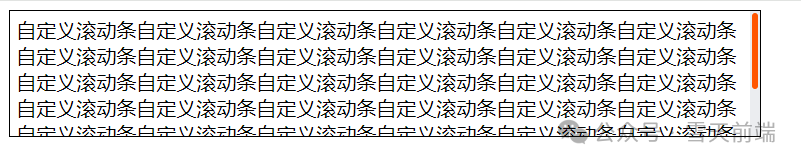
一个视频或者图片设置了宽高100%,但是还是显示不完整,就像这样,宽度并没有100%显示
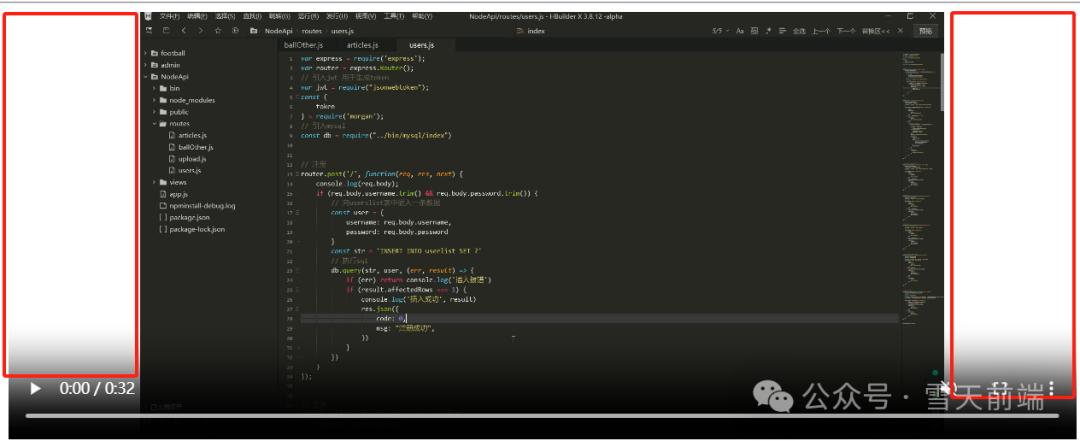
给video元素添加一个属性就好了 object-fit: cover;
video{
  width: 100%;
  height: 100%;
  object-fit: cover;
}
user-select: none; 这个属性就是禁止选中文本
<!DOCTYPE html>
<html lang="zh">
<head>
  <meta charset="UTF-8">
  <meta name="viewport" content="width=device-width, initial-scale=1.0">
  <title>Document</title>
  <style>
    p{
      user-select: none;
    }
  </style>
</head>
<body>
  <p>
    禁止文本的选中禁止文本的选中禁止文本的选中
  </p>
</body>
</html>
和box-shadow差别还是挺大的,可以试试
<!DOCTYPE html>
<html lang="zh">
  <head>
    <meta charset="UTF-8">
    <meta name="viewport" content="width=device-width, initial-scale=1.0">
    <title>Document</title>
    <style>
      .drop-shadow {
        filter: drop-shadow(2px 4px 8px #c7c7c7);
      }
    </style>
  </head>
  <body>
    <img class="drop-shadow" src="./img/p.png">
  </body>
</html>